
School ERP Software: A Complete Guide for Indian Schools (2026)
Most schools in India don’t struggle because their staff aren’t working hard. They struggle because the work is spread across too many places — admission enquiries in a notebook, attendance in paper registers, fee records in Excel, and parent updates scattered across WhatsApp groups. Every report means chasing three people and stitching data together by hand.
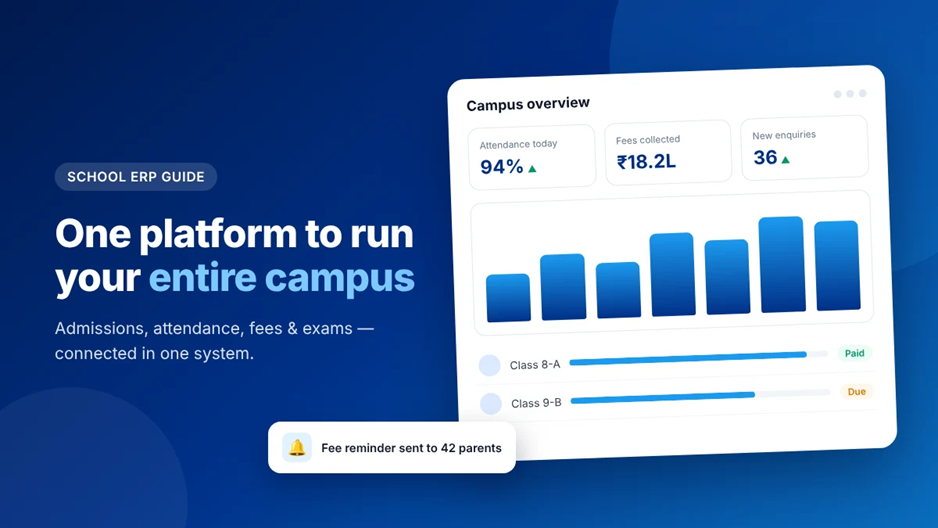
A school ERP (Enterprise Resource Planning) system fixes this by bringing every part of campus operations into one connected platform. This guide explains what a school ERP is, which modules matter most, and how to choose and roll one out without disrupting your school year.
Most schools in India don’t struggle because their staff aren’t working hard. They struggle because the work is spread across too many places — admission enquiries in a notebook, attendance in paper registers, fee records in Excel, and parent updates scattered across WhatsApp groups. Every report means chasing three people and stitching data together by hand.
A school ERP (Enterprise Resource Planning) system fixes this by bringing every part of campus operations into one connected platform. This guide explains what a school ERP is, which modules matter most, and how to choose and roll one out without disrupting your school year.
Signs Your School Has Outgrown Spreadsheets
- Preparing a simple fee-dues report takes hours, not minutes.
- Admission enquiries go unanswered because no one tracks follow-ups.
- Attendance data lives in registers and is rarely analysed.
- Parents call the office repeatedly for information they could check themselves.
- Different departments maintain different versions of the same student data.
If two or more of these sound familiar, your school is likely spending more time managing data than using it.
Core Modules Every School ERP Should Have
1. Admissions & Enquiry Management
Capture every enquiry — walk-in, phone, or website — in one pipeline. Track follow-ups, shortlist applicants, and convert them into enrolled students without re-entering their details.
2. Student Information System
A secure profile for every student with documents, guardian details, and academic history. This becomes the single source of truth that every other module reads from.
3. Attendance
Daily or period-wise attendance marked on a phone or tablet, with automatic alerts for repeated absences. No more paper registers to tally at month-end.
4. Fees & Billing
Define fee structures, generate receipts, track dues, manage scholarships, and send automated reminders. This module alone often saves the accounts team the most time.
5. Exams & Assessment
Plan tests, enter marks, and publish results and report cards directly from the system — with far fewer manual calculation errors.
6. Parent & Staff Communication
Send notices and circulars to exactly the right audience — one class, one section, or the whole school — and keep a record of what was shared and when.
7. Reports & Dashboards
Leadership-ready views of admissions, attendance, and fee collection that update as the data changes, so principals and trustees can act early instead of reacting late.
Key Benefits of a School ERP
| Area | Before ERP | With ERP |
| Fee tracking | Manual ledgers and Excel sheets | Live dues list with automated reminders |
| Attendance | Paper registers, tallied monthly | Marked digitally, visible the same day |
| Admissions | Enquiries lost in notebooks | Structured pipeline with follow-ups |
| Parent updates | Scattered WhatsApp messages | Targeted notices with a clear record |
| Reporting | Hours of compiling data | Dashboards ready in a few clicks |
How to Choose the Right School ERP
Not every ERP fits every campus. Before you commit, ask vendors these questions:
- Is it built for Indian schools? Fee heads, academic structures, and board requirements differ from other markets.
- Can you start with only the modules you need? Paying for features you won’t use for years adds cost without value.
- What does onboarding include? Ask who helps with data migration and staff training — and whether it costs extra.
- How is data protected? Look for encryption, regular backups, and role-based access so each user sees only what they need.
- Does it work on mobile? Teachers mark attendance and parents check fees on their phones, so a responsive experience is essential.
- What happens after go-live? Responsive human support matters more than any feature list.
The best ERP isn’t the one with the most features — it’s the one your office staff and teachers will actually use every day.