
APAAR ID for Schools: How to Keep Student Records Ready (2026 Guide)
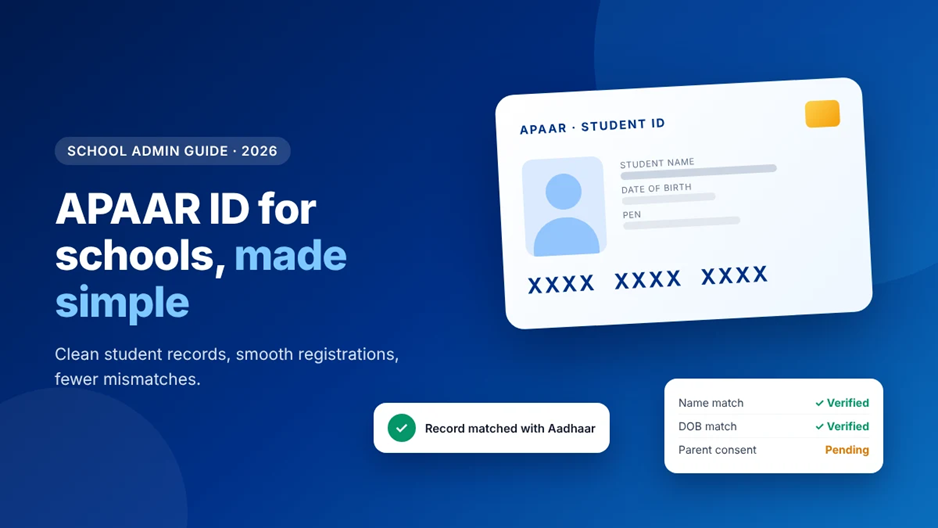
APAAR ID has quickly moved from a “good to have” to a priority for school offices across India. With CBSE linking APAAR to Class 9 and 11 registrations and to the board exam lists for Classes 10 and 12, admin teams are under pressure to generate IDs for every eligible student, often on tight timelines.
Most delays don’t come from the APAAR system itself. They come from messy student records: a name spelt differently in Aadhaar, a date of birth entered wrongly years ago, or a transferred student who was never properly marked as “left” by the previous school. This guide explains what APAAR ID is, how schools generate it, the most common errors, and how to keep your student data ready so registrations go smoothly.
What Is APAAR ID?
APAAR stands for Automated Permanent Academic Account Registry. It is a 12-digit lifelong ID for students, introduced under the National Education Policy’s “One Nation, One Student ID” vision. It links with DigiLocker and the Academic Bank of Credits, so a student’s academic records, including marks, certificates, and credits, can follow them across schools, boards, and states.
For schools, APAAR works alongside two numbers you may already know:
- UDISE+ code: your school’s unique identification code.
- PEN (Permanent Education Number): an 11-digit number created for each student when their details are first entered in UDISE+.
The APAAR ID is generated against a student’s PEN, which is why accurate UDISE+ records matter so much.
How Schools Generate APAAR IDs
For students under 18, APAAR is created through the school with parental consent. While the exact screens can change, the typical flow looks like this:
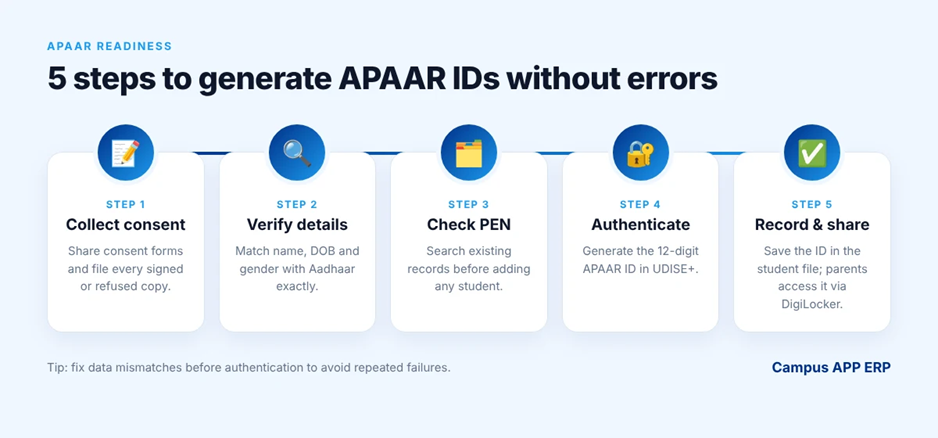
- Collect consent: Share the official consent form with parents and keep a signed copy for every student. If a parent refuses in writing, record and file that too.
- Verify student details: Check that the student’s name, date of birth, and gender in your records match their Aadhaar exactly.
- Open the student record in UDISE+: The school’s UDISE+ coordinator selects the student and chooses Aadhaar-based authentication.
- Authenticate and generate: On successful verification, a 12-digit APAAR ID is created and linked to the student’s PEN.
- Share and store: Students and parents can access the APAAR card through DigiLocker. Record the ID in your school’s student file.
The Most Common APAAR Errors (and How to Fix Them)
| Problem | Why it happens | How to fix it |
| Name or DOB mismatch | School records differ from Aadhaar (spelling, initials, wrong date) | Correct the student record in UDISE+ (correction form) or get Aadhaar updated first, then retry |
| Duplicate student / PEN | A transferred student was added as a new entry | Always search for an existing PEN by name and DOB before creating a new record |
| Transferred student not found | Previous school hasn’t marked the student as “left with TC” | Ask the old school to update and finalise the record, then import it |
| Missing consent | Forms not collected or not filed | Track consent status per student and follow up class-wise |
| Locked data | Changes needed after final submission | Route requests through the block or district MIS office, and verify data before submitting |
Nearly every APAAR delay traces back to one thing: student data that was never cleaned at the source.
Why Clean Student Records Matter Beyond APAAR
The same data APAAR depends on is used for board registrations, UDISE+ submissions, scholarships, transfer certificates, and report cards. When every department keeps its own copy, errors multiply and each portal deadline turns into a scramble.
A single, verified student record fixes this at the root. Enter it correctly once, and every report, certificate, and government submission draws from the same accurate source.
How a School ERP Makes APAAR Readiness Easier
One verified student profile
Store each student’s name, DOB, gender, guardian details, and documents in one place, so you can match them against Aadhaar before you ever open the UDISE+ portal.
Mismatch checks before submission
Flag records with missing or inconsistent fields class-wise, so your team fixes problems in bulk instead of discovering them one failed authentication at a time.
Consent tracking
Mark consent as received, pending, or refused for every student, and send reminders to parents who haven’t responded, with a clear record of each.
Store IDs alongside the student record
Save the PEN and APAAR ID in the student profile so they’re ready for board registrations, TCs, and future reports without searching again.
Cleaner transfers
Generate transfer certificates from the same record and keep a clear history of admissions and exits. This reduces the “student not found” problem for the next school.
APAAR Readiness Checklist for School Offices
- Nominate one UDISE+ coordinator and one backup.
- Export a class-wise list of students with name, DOB, gender, and Aadhaar status.
- Compare each record with Aadhaar details and list every mismatch.
- Send consent forms to parents and track responses daily.
- Fix data corrections before attempting APAAR generation.
- Search for existing PENs before adding any new or transferred student.
- Record each generated APAAR ID in the student file.
- Check the latest circulars from your board and state education department for current timelines.
Respecting Privacy and Consent
APAAR involves sensitive student data, so handle it carefully. Collect only what’s required, store consent and refusal forms securely, limit access to the staff who need it, and share APAAR documents only when there’s a clear requirement. Parents should be told what the ID is for and how their child’s data will be used.
Frequently Asked Questions
Is APAAR ID mandatory for students?
Requirements depend on your board and state. CBSE has linked APAAR to Class 9 and 11 registrations and Class 10 and 12 board exam lists, and several state boards are pushing for full coverage. Check your board’s latest circular for the exact rules that apply to your school.
Who creates the APAAR ID: the school or the parent?
For school students, the school typically generates it through UDISE+ after collecting parental consent. Students aged 18 and above can also create it themselves through DigiLocker.
What is the difference between PEN and APAAR ID?
PEN is an 11-digit number created in UDISE+ when a student is first registered. APAAR is a 12-digit lifelong academic ID generated against the PEN and linked to DigiLocker and the Academic Bank of Credits.
Can a student have more than one APAAR ID?
No. Each student should have only one APAAR ID. Duplicate records usually come from transferred students being entered as new, so always search before creating.
Keep Your Student Records Ready for Every Deadline
Campus APP ERP gives Indian schools and colleges a single, secure student record, with documents, guardian details, attendance, fees, and exams connected in one place. That means cleaner data for APAAR, UDISE+, board registrations, and everything in between.
Request a demo to see how Campus APP ERP keeps your student data ready, or explore the student information module.